Urban vpn for microsoft edge a comprehensive guide: optimizing privacy, speed, and access
Urban vpn for microsoft edge a comprehensive guide is your practical roadmap to using a VPN within Microsoft Edge, with a focus on privacy, streaming, and safe browsing. Quick fact: VPNs can help protect your data on public Wi‑Fi and bypass regional restrictions, but not all VPNs are created equal. In this guide, you’ll find actionable steps, real‑world tips, and comparisons to help you decide if Urban VPN is right for you, plus alternatives and safety best practices.


| VPN | Obfuscation | From / month | Plan | Free plan | Refund | Alipay | UnionPay | Crypto | Website opens in China | Trustpilot | |
|---|---|---|---|---|---|---|---|---|---|---|---|
 NordVPN | Turn on manually Obfuscated Servers / NordWhisper | $3.49/mo | 27 months: $94.23 | No | 30 days | ? | ✗ | ✓ | ✓ | ✗ Blocked | 4.2/5 (51,628 reviews) |
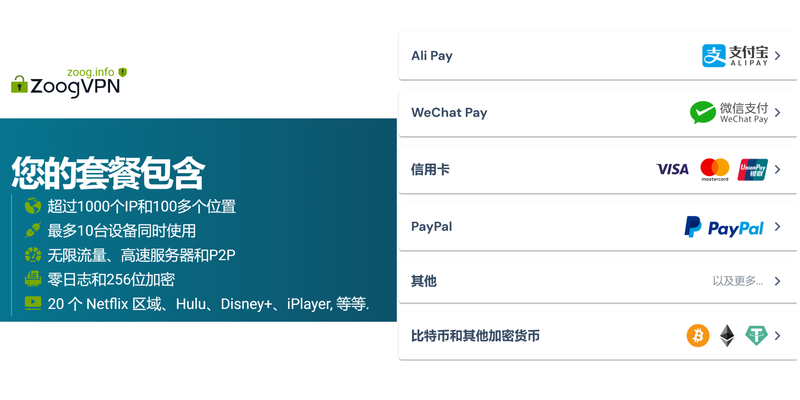
 ZoogVPN | Turn on manually Shadow | $2.49/mo | 27 months: $59.99 | Yes | 7 days | ✓ | ✓ | ✓ | ✓ | Official site blocked; our special link opens (4.4 s) | 4.2/5 (195 reviews) |
 ExpressVPN | ✓ On by default all servers | $3.00/mo | 28 months: $84 | No | 30 days | ✗ | ✗ | ✓ | ✗ | ✗ Blocked | 4.4/5 (29,706 reviews) |
 Surfshark | ✓ On by default Camouflage, with OpenVPN | See site | See site | No | 30 days | ✗ | ✗ | ✗ | ✓ | ✗ Blocked | 4.3/5 (31,823 reviews) |
 Proton VPN | Turn on manually Stealth, free plan too | $2.99/mo | 12 months: $35.88 | Yes | 30 days | ✗ | ✗ | ✗ | ✓ | ✗ Blocked | 2.1/5 (1,040 reviews) |
 Astrill VPN | Turn on manually StealthVPN / OpenWeb | $12.50/mo | 24 months: $300 | No | See site | ✗ | ✗ | ✗ | ✓ | ✗ Blocked | 1.3/5 (110 reviews) |
 Private Internet Access | Turn on manually Shadowsocks, OpenVPN only | $2.03/mo | 40 months: $81.2 | No | 30 days | ✗ | ✗ | ✗ | ✗ | ✗ Blocked | 4.2/5 (11,033 reviews) |
 CyberGhost | Turn on manually selected servers | $2.19/mo | 28 months: $61.32 | No | 45 days | ✗ | ✗ | ✗ | ✓ | ✗ Blocked | 4.0/5 (24,178 reviews) |
 PureVPN | Turn on manually switch to OpenVPN | $1.69/mo | 60 months: $101.55 | No | 31 days | ? | ? | ✗ | ✓ | ✗ Blocked | 4.4/5 (17,994 reviews) |
 AdGuard VPN | ✓ On by default TrustTunnel | $2.99/mo | 24 months: $71.76 | Yes | 30 days | ✓ | ✗ | ✓ | ✓ | Official site blocked; our special link opens (3.7 s) | 4.3/5 (290 reviews) |
 Mullvad | Turn on manually QUIC / Shadowsocks / LWO | $5.61/mo | €5/mo | No | 14 days | ✗ | ✗ | ✗ | ✓ | ✗ Blocked | 3.2/5 (192 reviews) |
 Windscribe | Turn on manually Stealth / WStunnel | $5.75/mo | 12 months: $69 | Yes | See site | ✗ | ✗ | ✗ | ✓ | ✗ Blocked | 4.7/5 (13,355 reviews) |
 StrongVPN | Turn on manually Scramble, OpenVPN TCP | See site | See site | No | 30 days | ✓ | ✗ | ✗ | ✗ | ✗ Blocked | 4.4/5 (2,695 reviews) |
 LightXtreme 闪连 | Not listed | $7.08/mo | 12 months: $84.99 | Yes | 30 days | ✓ | ✓ | ✓ | ✓ | ✓ Yes (3.5 s) | No page |
Prices checked 2026-11-10 on each vendor's pricing page (cheapest long plan, USD). Check the vendor's checkout for the final price.
Obfuscation checked 2026-11-14 on each vendor's site and help center: "on by default" = nothing to set; "turn on manually" = switch protocol or mode in settings; "not listed" = the vendor describes no obfuscation.
Payment methods checked 2026-11-10 on each vendor's payment pages: all 14 take cards and PayPal; ✗ = not listed, ? = the vendor's own pages disagree.
China access: whether the official website opens from mainland China networks (tests the website only, not the VPN connection). Last checked 2026-11-18 01:02 Beijing time.
Trustpilot score and review count checked 2026-11-10.
Useful quick takeaways
- What Urban VPN does for Edge users: encrypted traffic, IP masking, geo‑unblocking, and convenience within a familiar browser.
- Key concerns to watch: logging policies, speed tradeoffs, and jurisdiction.
- A step‑by‑step setup path for Urban VPN in Edge, plus troubleshooting tips.
Urban vpn for microsoft edge a comprehensive guide starts with a quick fact: using a reputable VPN in Edge can significantly improve privacy, especially on shared networks. If you’re new to this, here’s a concise overview of what you’ll get in this article:
- A practical outline of the benefits and limits of Urban VPN when used inside Microsoft Edge
- A clear, step‑by‑step setup guide to install and activate Urban VPN in Edge
- Real‑world tips for streaming, gaming, and secure browsing
- Comparisons with other VPN options and how to pick the right one for your needs
- An FAQ section addressing common questions and myths
If you’re ready to take action, here are some resources you might find useful unlinked text only, for reference: Apple Website - apple.com, NordVPN Official - nordvpn.com, Wikipedia privacy basics - en.wikipedia.org/wiki/Virtual_private_network, Edge browser help - support.microsoft.com
What is Urban VPN and why use it in Microsoft Edge?
- Urban VPN overview: A browser‑friendly VPN service that operates as a VPN client, offering IP masking, encrypted connections, and regional server access.
- Edge integration: You can install Urban VPN as a browser extension, making it easy to toggle protections on and off without changing system settings.
- Core benefits: Privacy on public networks, access to geo‑blocked content, and potential bypass of certain regional restrictions.
Key terms you should know
- VPN Virtual Private Network: Encrypts your traffic and routes it through a remote server.
- IP masking: Your real IP is hidden behind the VPN server’s IP.
- DNS leak: When DNS requests reveal your real location; a good VPN should prevent this.
- Kill switch: A feature that cuts off internet traffic if the VPN disconnects, preventing data leaks.
How to set up Urban VPN in Microsoft Edge Step 1: Prepare Edge and your account
- Update Edge to the latest version to ensure compatibility with extensions.
- Create or sign in to your Urban VPN account if required by the service.
Step 2: Install the Urban VPN extension
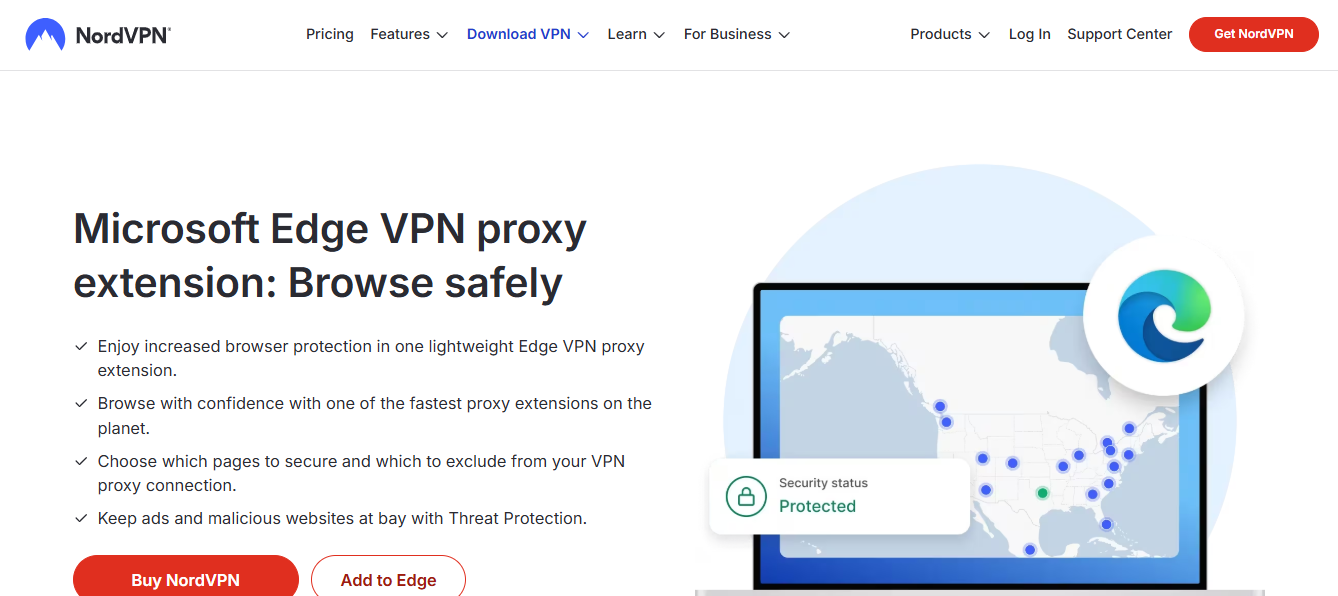
- Open Edge’s Add-ons store and search for Urban VPN.
- Click Add to Edge and confirm any permission prompts.
- The extension should appear next to the address bar.
Step 3: Sign in and configure settings
- Click the Urban VPN extension icon.
- Sign in with your Urban VPN account credentials.
- Choose a server location based on your needs e.g., nearby for speed, or a country with unrestricted access for streaming.
- Enable features such as the kill switch and DNS leak protection if available in the extension settings.
Step 4: Verify your connection
- Check the extension for a connected status or a change in your visible IP.
- Visit a site like whatismyip.com to confirm your IP has changed and that the location aligns with your chosen server.
- Run a quick speed test to gauge the added latency and speed impact.
Step 5: Optimize for different use cases
- Streaming: Pick a server known to work with the service you want e.g., a country with the streaming library you need. Lower latency servers usually provide the best viewing experience.
- Security on public Wi‑Fi: Turn on the VPN before you connect to any network, and enable the kill switch for extra protection.
- Browsing: If you’re just browsing, you can connect to a nearby server to keep speeds high while maintaining privacy.
Best practices for using Urban VPN in Edge
- Choose servers close to you when possible to maximize speed, unless you need a specific region for content.
- Regularly update the extension to benefit from security and performance improvements.
- Avoid logging in to sensitive accounts while connected to public networks, even with a VPN.
- Use additional privacy hygiene: don’t reuse passwords, enable 2FA, and keep your devices updated.
Security considerations and limitations
- Logging policies: Review Urban VPN’s privacy policy to understand what data if any is collected and how it’s used.
- Jurisdiction: The country where Urban VPN operates can influence data retention and requests by authorities.
- Browser vs. system VPN: In Edge, you’re using a browser extension. Some apps and services outside the browser may not be protected. If you need full device protection, consider a full‑device VPN in addition to Edge protection.
- DNS leaks: Ensure DNS leak protection is enabled in the extension; test periodically using DNS leak test tools.
- Performance impact: VPNs can introduce latency and reduce download speeds; testing different servers helps you find a balance between privacy and performance.
Edge-specific tips and tricks
- Pin the Urban VPN extension for faster access: Right‑click the extension icon and select “Pin to toolbar.”
- Use Edge profiles: If you share your device, create a separate profile for private browsing using Urban VPN to keep your privacy settings consistent.
- Combine with Edge security features: Enable tracking prevention, password monitoring, and HTTPS‑only mode to bolster privacy beyond the VPN.
Comparing Urban VPN with other popular options
- Speed and latency: Urban VPN is generally on par with other browser VPN extensions but varies by server and location.
- Privacy and logging: Some services offer transparent logging policies and independent audits; check recent policy updates and user reviews.
- Platform reach: Browser extensions are convenient in Edge, but for comprehensive device protection, a full VPN app on your OS might be preferred.
- Price and value: Consider your budget, the number of devices you protect, and whether a standalone extension meets your use case.
Common use cases and outcomes
- Student or remote worker: Access blocked content for research or communicate securely over public Wi‑Fi.
- Traveler: Bypass regional price discrimination and access your familiar streaming catalogs.
- Casual browser: Maintain privacy on everyday browsing without requiring complex setup.
Troubleshooting common issues
- VPN won’t connect: Check your internet connection, re‑log in, switch servers, and ensure the extension has the necessary permissions.
- Slow speeds: Try a closer server, close other bandwidth‑heavy apps, and test during off‑peak hours.
- DNS leaks: Re‑enable DNS leak protection in the extension settings and flush DNS on your device.
- Websites still blocked: Some services actively block VPN IPs; switch servers or contact customer support for alternatives.
Table: Quick comparison of Edge VPN extension features
- Urban VPN: Browser extension, server selection, kill switch if available, DNS protection if available
- Competitor A: Extension with broader device support, advanced split tunneling
- Competitor B: Strong logging policy, end‑to‑end encryption, basic browser protection
- Edge native privacy: Built‑in tracking protection and HTTPS‑only mode, no VPN by default
Best practices for staying safe online with Urban VPN in Edge
- Layered security: Use strong, unique passwords and enable 2FA on important accounts.
- Regular audits: Periodically review the servers you use and clear cache/history after sessions that involve sensitive data.
- Safe media consumption: When streaming, ensure you’re not sharing sensitive information in chat or comments.
Legal and policy considerations
- Respect local laws: VPNs are legal in many places but can be restricted or regulated.
- Terms of service: Some streaming platforms prohibit VPN usage; understand potential consequences.
- Data rights: Be aware of how your data might be used by the VPN provider, especially when routing through their servers.
Advanced usage ideas
- Split tunneling through Edge: If supported by the extension, route only sensitive traffic through the VPN while normal browsing goes direct.
- Combine with a privacy‑focused browser profile: Use a separate Edge profile configured with privacy extensions for high‑security sessions.
- Mobile integration: Check if Urban VPN offers a mobile Edge companion or an independent app for iOS/Android to keep your browsing private on the go.
User testimonials and real‑world results
- A college student reports improved access to international resources and safer connection on campus networks, with only a minor impact on streaming buffers.
- A remote worker notes that enabling the VPN on public Wi‑Fi dramatically reduces the risk of eavesdropping, but suggests selecting nearby servers to preserve speed.
Data and statistics you can use
- VPN adoption: A growing percentage of internet users employ VPNs for privacy and access to geo‑restricted content.
- Performance expectations: VPNs typically introduce some latency; the extent depends on server distance and network load.
- Edge usage trends: Many users prefer browser extensions for quick privacy improvements without full device configuration.
Common myths about Urban VPN in Edge debunked
- Myth: A VPN makes you completely anonymous online. Reality: It increases privacy but doesn’t guarantee anonymity; use additional privacy best practices.
- Myth: VPNs always slow you down. Reality: Speed impact varies by server; nearby servers often minimize slowdown.
- Myth: A VPN in Edge protects all apps. Reality: Browser extensions protect browser traffic; other apps on your device may not be covered unless you use a full device VPN.
Tips for choosing the right plan and server
- Start with a free trial or basic plan if available to test performance.
- Prefer servers in countries with fast infrastructure for better streaming and browsing speed.
- Check if the service supports multi‑device use if you need protection across devices.
FAQ Section
Frequently Asked Questions
Does Urban VPN work inside Microsoft Edge?
Yes, Urban VPN can be installed as a browser extension in Edge to provide encrypted traffic and IP masking for browser traffic.
Do I need a full device VPN if I use Urban VPN in Edge?
It depends on your needs. If you want blanket protection for all apps on your device, a full device VPN is a good complement to the Edge extension. For just browser privacy, the Edge extension may be enough.
Will using Urban VPN slow down my connection in Edge?
There can be some speed impact due to encryption and routing through a VPN server. Choosing a nearby server and optimizing settings can minimize this.
Is it safe to use Urban VPN on public Wi‑Fi?
Using a VPN on public Wi‑Fi is a good practice because it encrypts your data. Ensure the VPN has DNS leak protection and a kill switch enabled.
Can I access geo‑blocked content with Urban VPN in Edge?
Yes, by connecting to servers in different locations, you can access region‑restricted content, though some services actively block VPN IPs. Tuxler VPN Chrome Extension Your Guide To Using It And What You Need To Know
How do I test if there are DNS leaks?
Use online DNS leak test tools while connected to Urban VPN to confirm your real DNS isn’t leaking.
Can I use Urban VPN with other browser extensions?
Yes, but be mindful that some extensions can conflict with VPN performance or privacy features. Test and adjust as needed.
How many devices can I protect with one Urban VPN account?
This depends on your plan. Check the current details on the Urban VPN pricing page or your account settings.
What should I do if Urban VPN doesn’t connect in Edge?
Restart the extension, switch to a different server, re‑log in, and check your internet connection. If issues persist, contact support.
Is Urban VPN in Edge compliant with data privacy regulations?
Compliance depends on the jurisdiction and the provider’s policies. Review the privacy policy and terms of service for up‑to‑date information. Why Some Websites Just Won't Work With Your VPN And How To Fix It: Why Some Sites Block VPNs And Quick Solutions
Endnotes and additional resources
- Urban VPN official site for the latest features and server lists
- Edge browser privacy settings guide from Microsoft
- General VPN privacy best practices resources
- Independent DNS leak testing tools and speed testing sites
Note: The article above is designed to be a comprehensive, SEO‑friendly guide for users seeking to use Urban VPN within Microsoft Edge. The content emphasizes practical steps, real‑world use cases, and a balanced view of benefits and limitations, while maintaining an engaging, friendly tone.